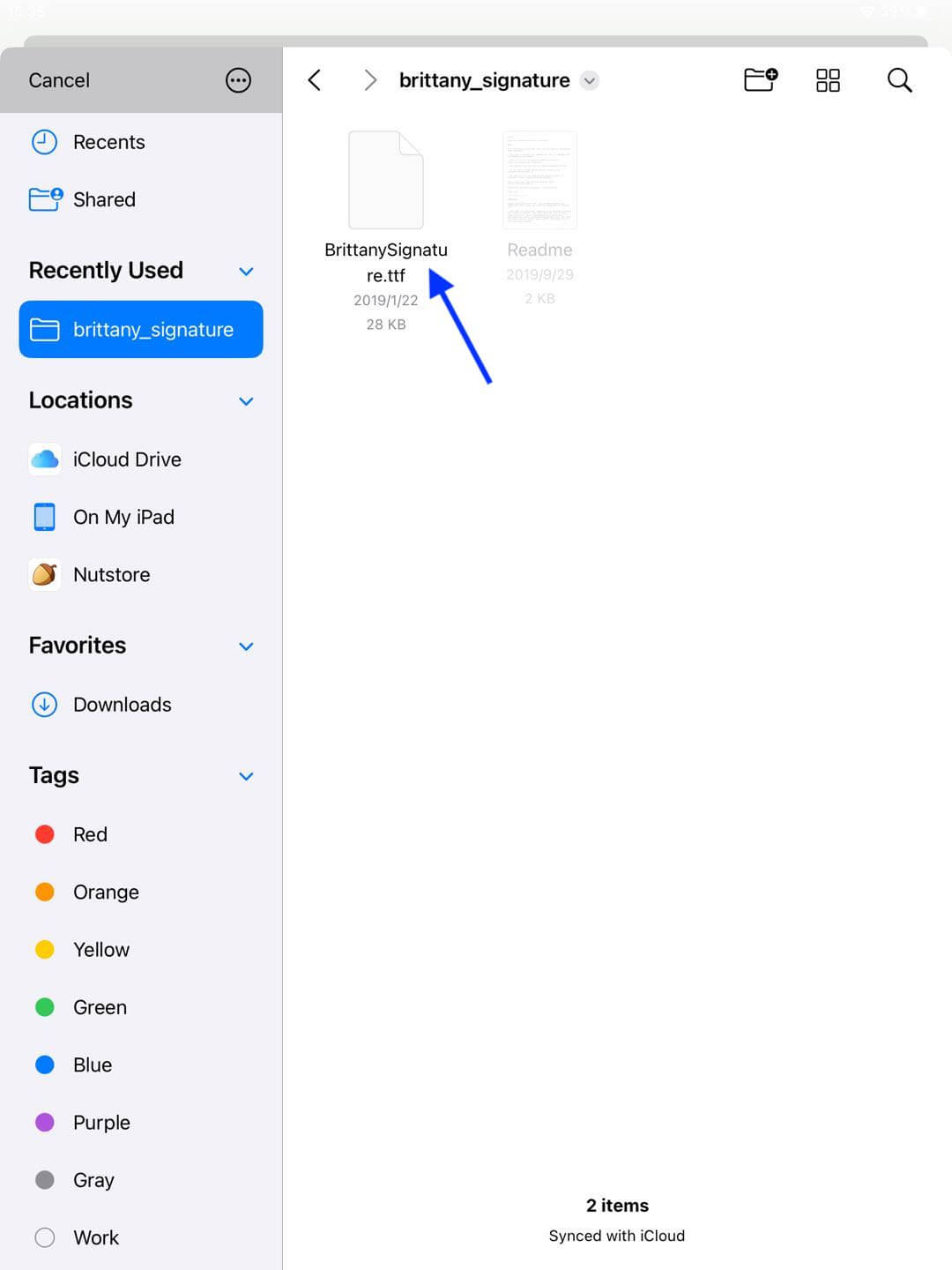
Font Import Tutorial
• Caution: The App currently only supports importing fonts in .ttf format
• Download fonts via browser:
Step 1: Open any font website and download the desired font file
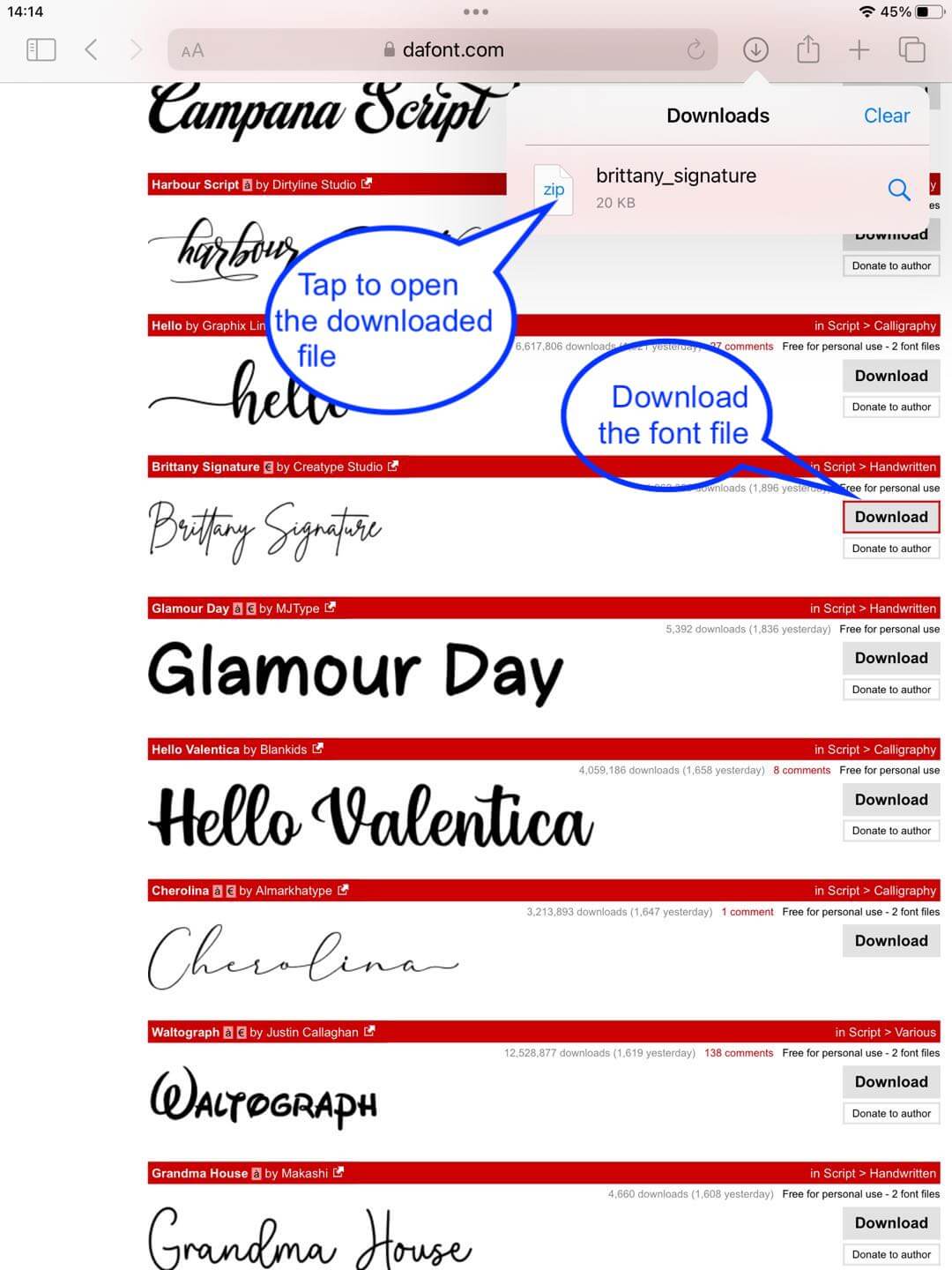
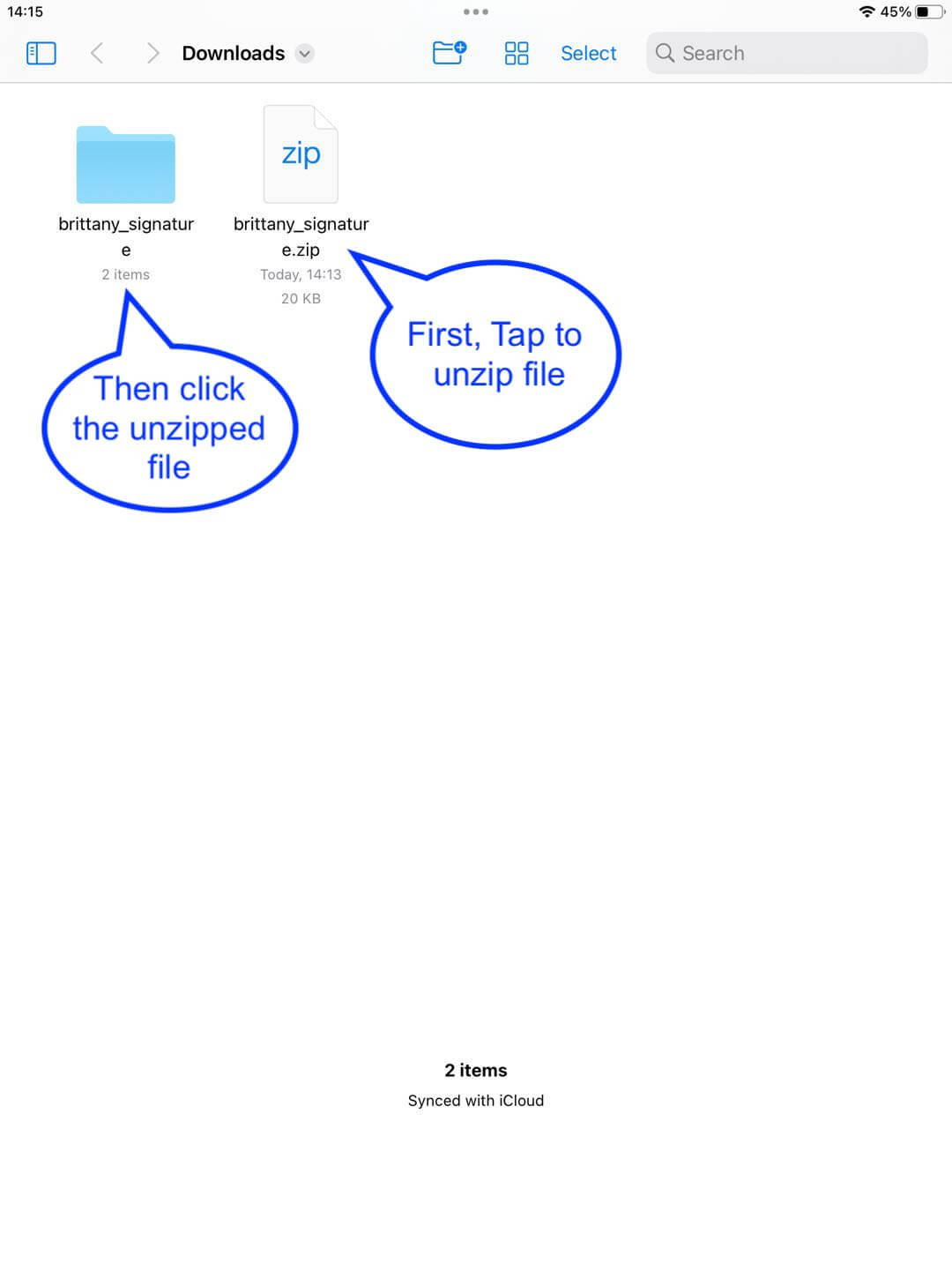
The system will use “File” APP to open it, if the downloaded file is a zip archive, the system will unzip it, then navigate to the unzipped directory
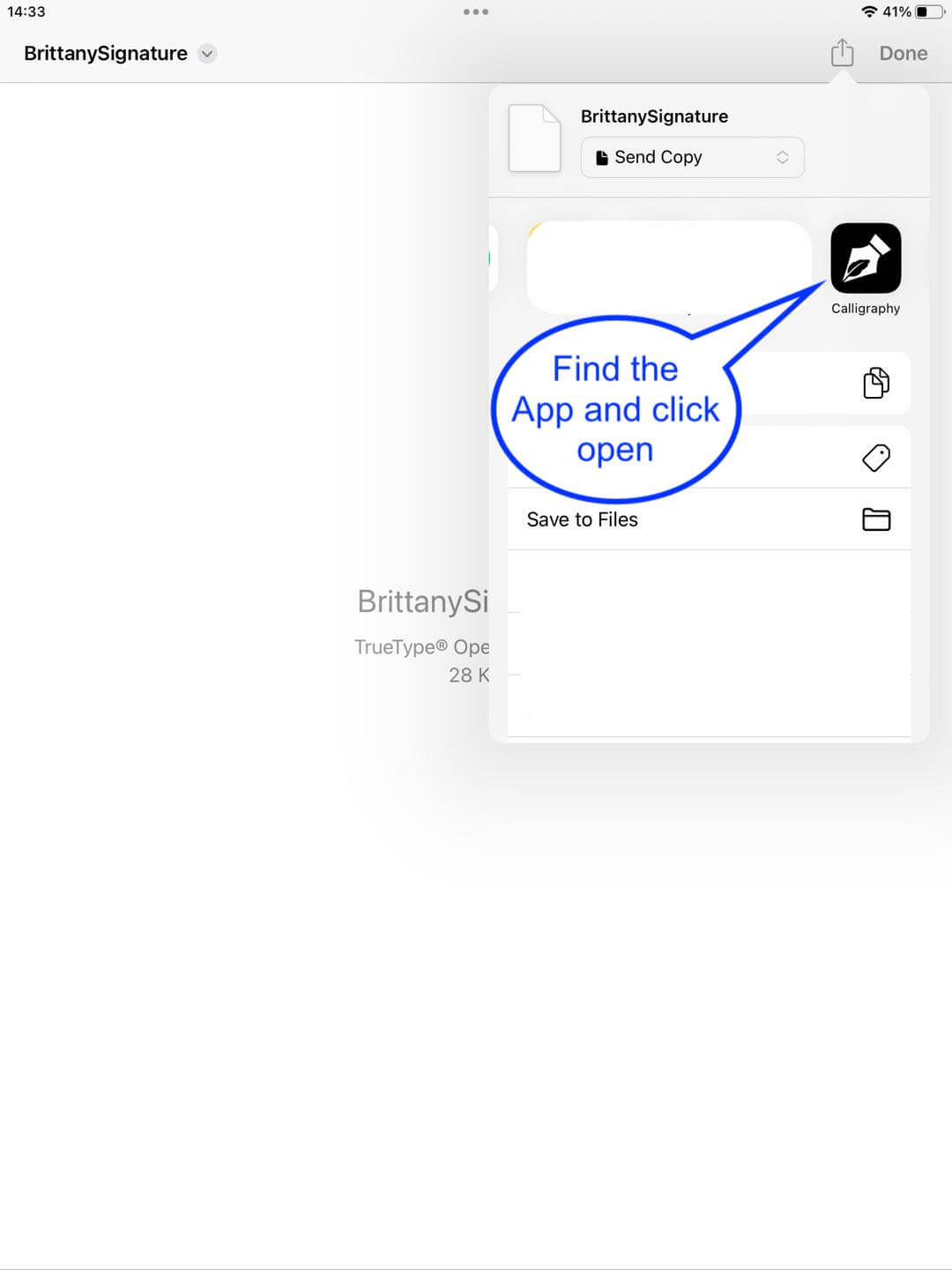
Step 2: Open the font file with Calligraphy Master App
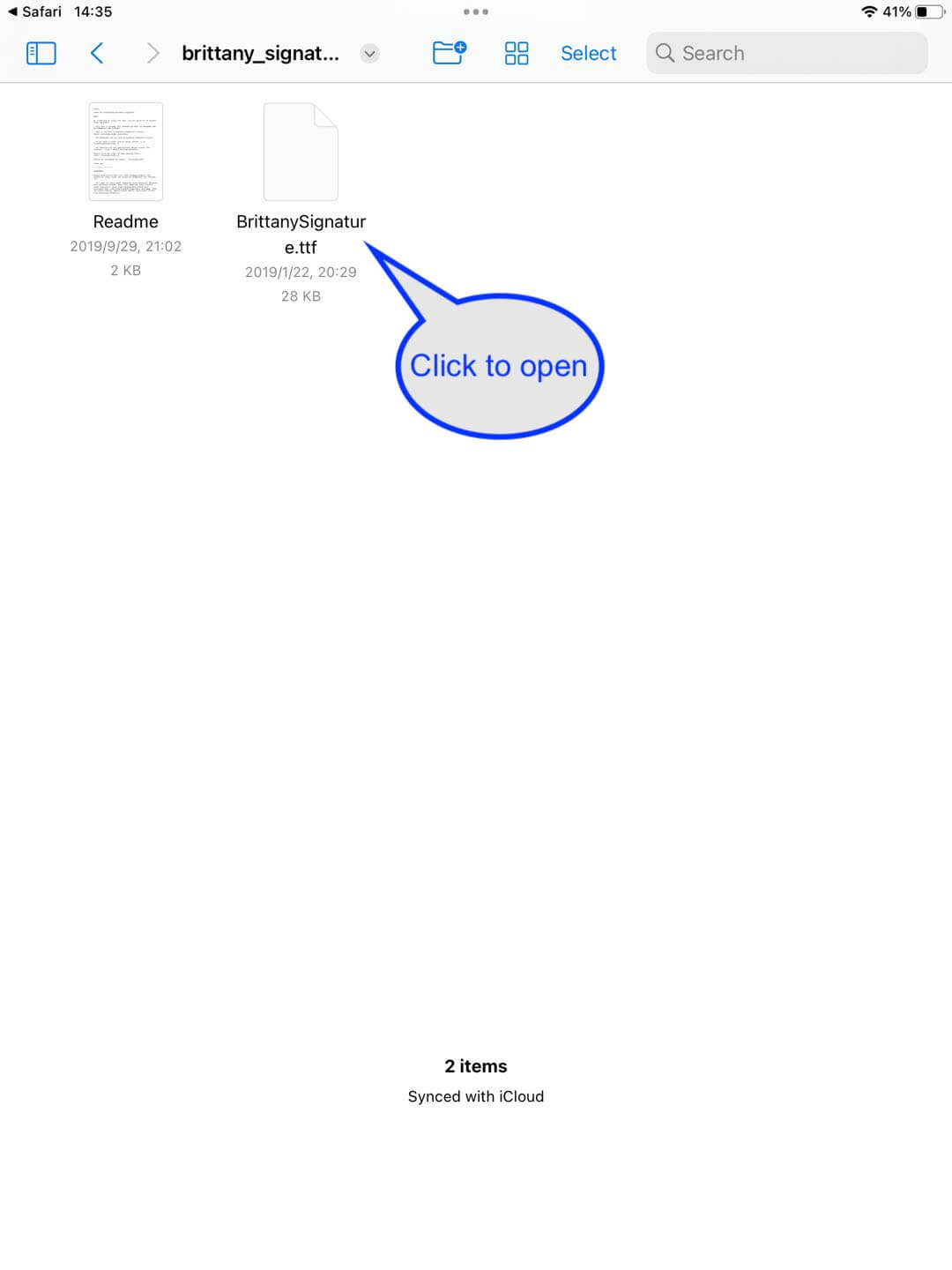
In the upper right corner of the menu to find the Master App
Step 3: Edit the font
After loading the font file, you will be directed to teh editing page
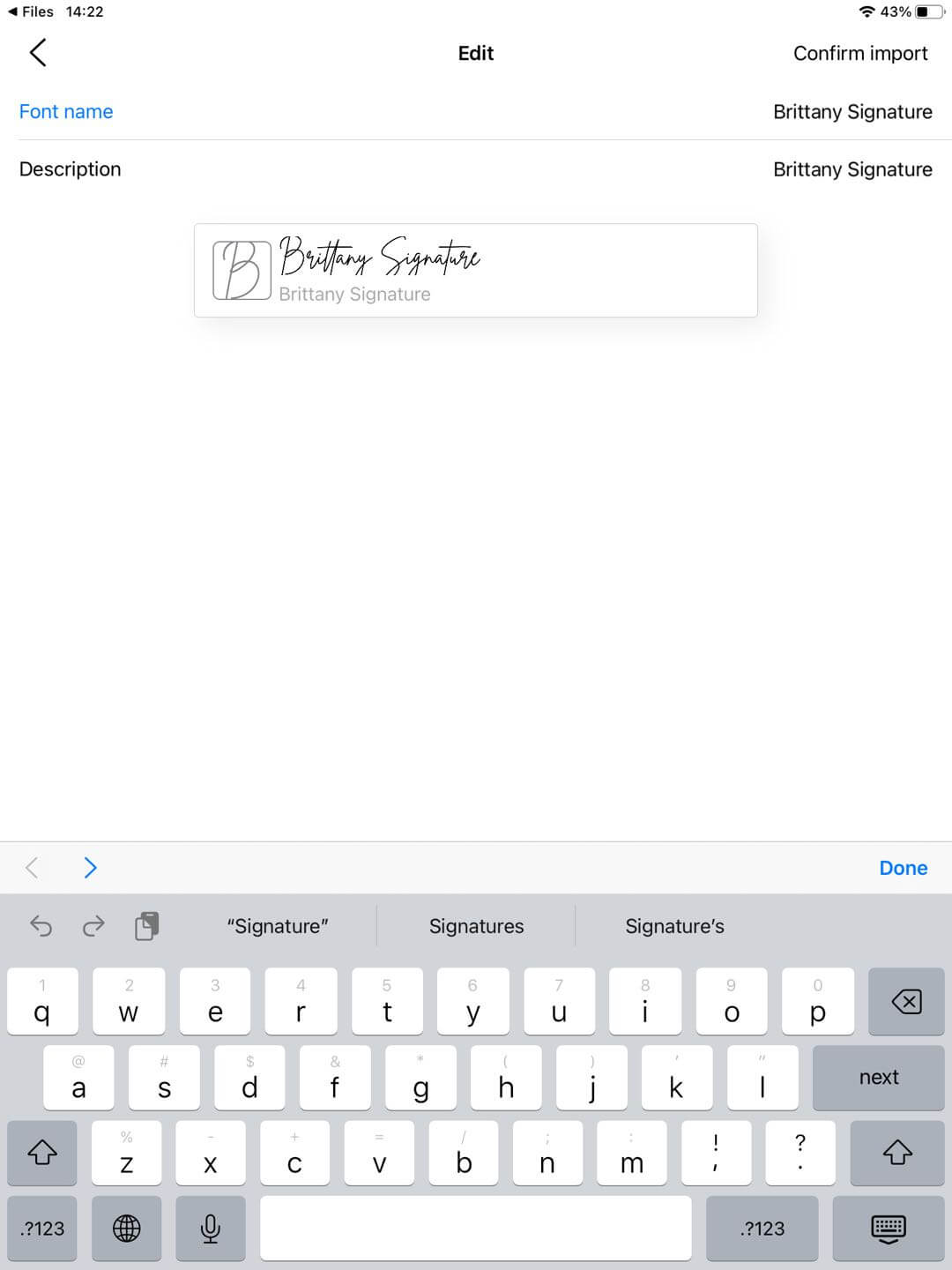
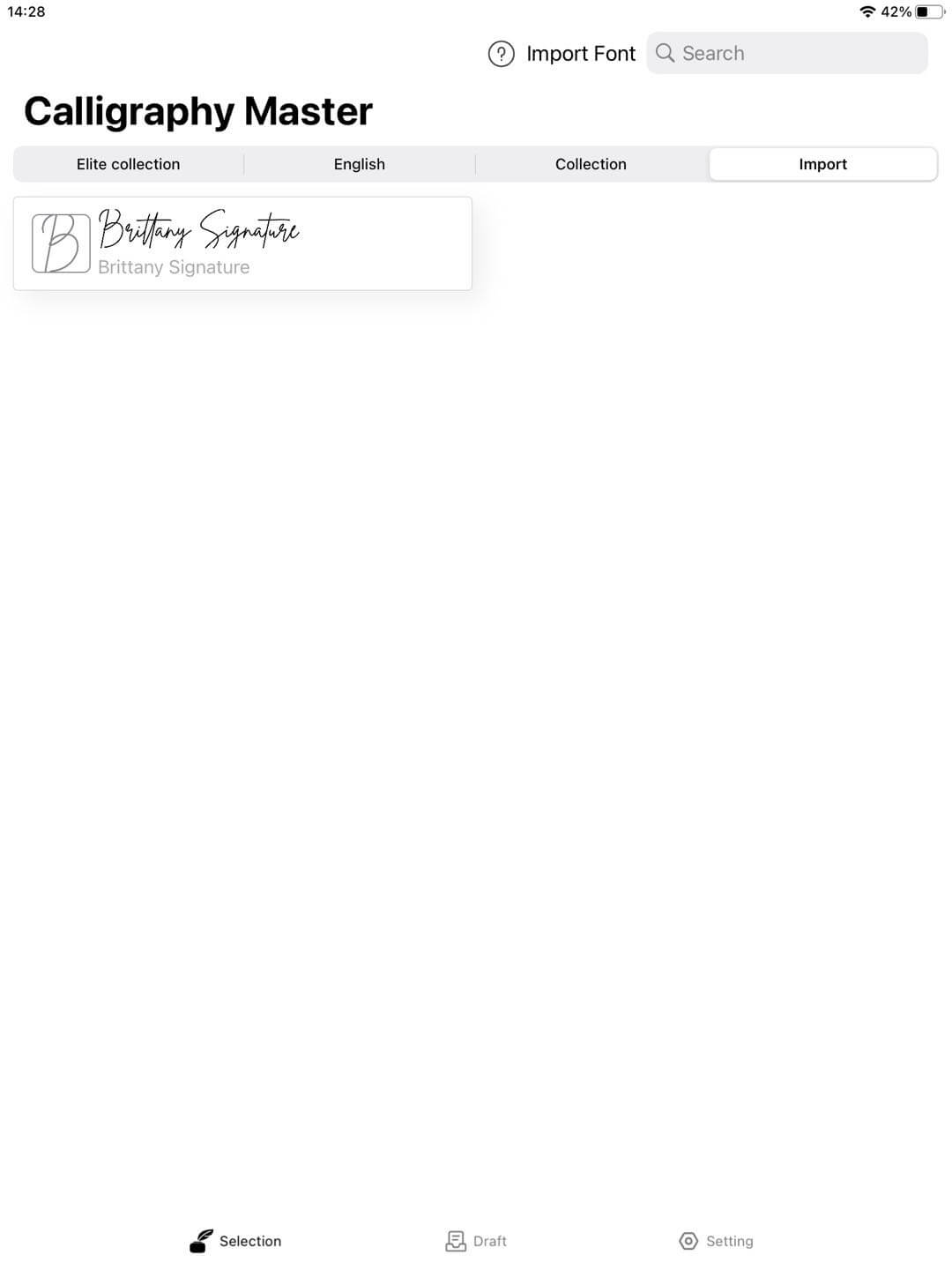
After editing, click [Confirm Import] and return to the home page to view your imported font
• You can access any existing .ttf font files via the app
Click to import fonts
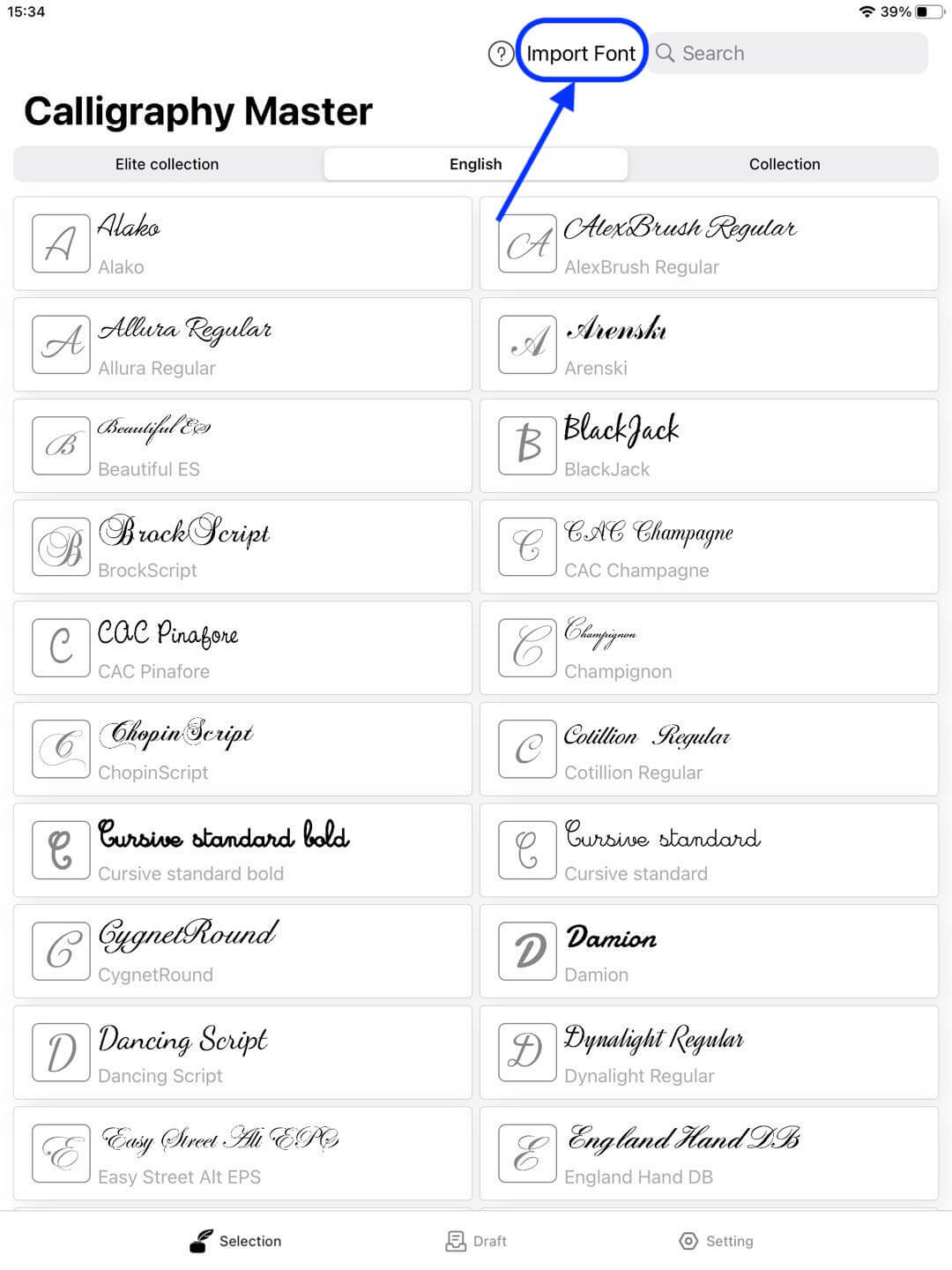
You can find and select any font files by browsing the local files